Which furniture details should you show in product images?
A photo of the whole corner sofa shows its shape, colour and seat layout. A close-up lets customers examine a seam, an edge finish or the upholstery texture. Those details can easily disappear in a wide view.

Start with the specific model when choosing details. What distinguishes it from the other furniture in the collection? Which part would a customer want to examine while standing beside it in a showroom?
Choose the feature you want to show
In the pink sofa example, a closer seat view shows the tufting and upholstery indentations. For another model, the armrest outline or leg shape might matter more. Choose a characteristic part of the product and a composition that makes it visible. If a seam falls outside the area in focus, a close-up alone will not explain its shape.
Keep some context around the detail too. In a very tight crop, it can be hard to tell whether you are looking at a seat, backrest or side panel. Pair the image with a wider view of the same part where needed.
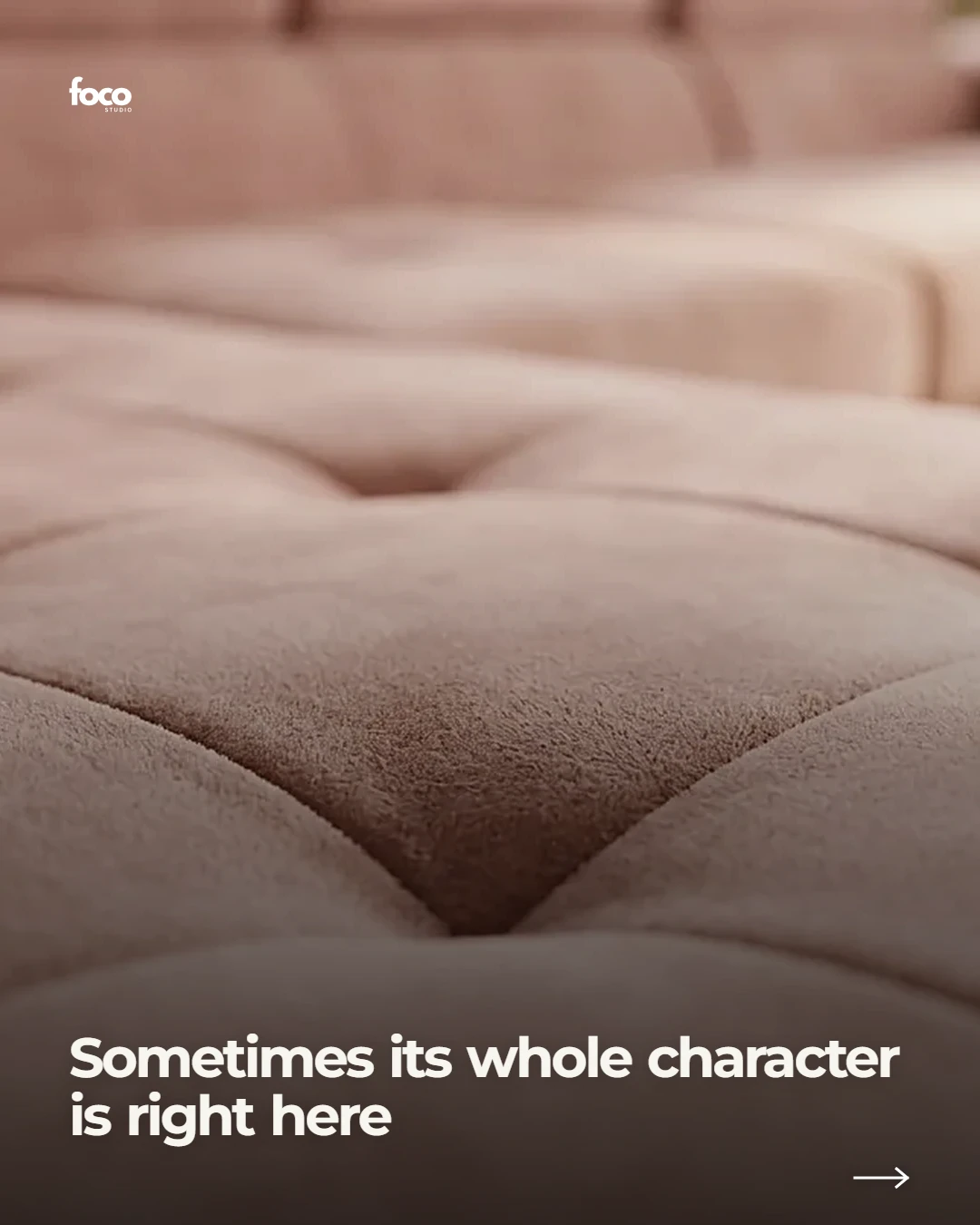
A closer view of the tufting and indentations in the seat upholstery.
Edges, joints and legs
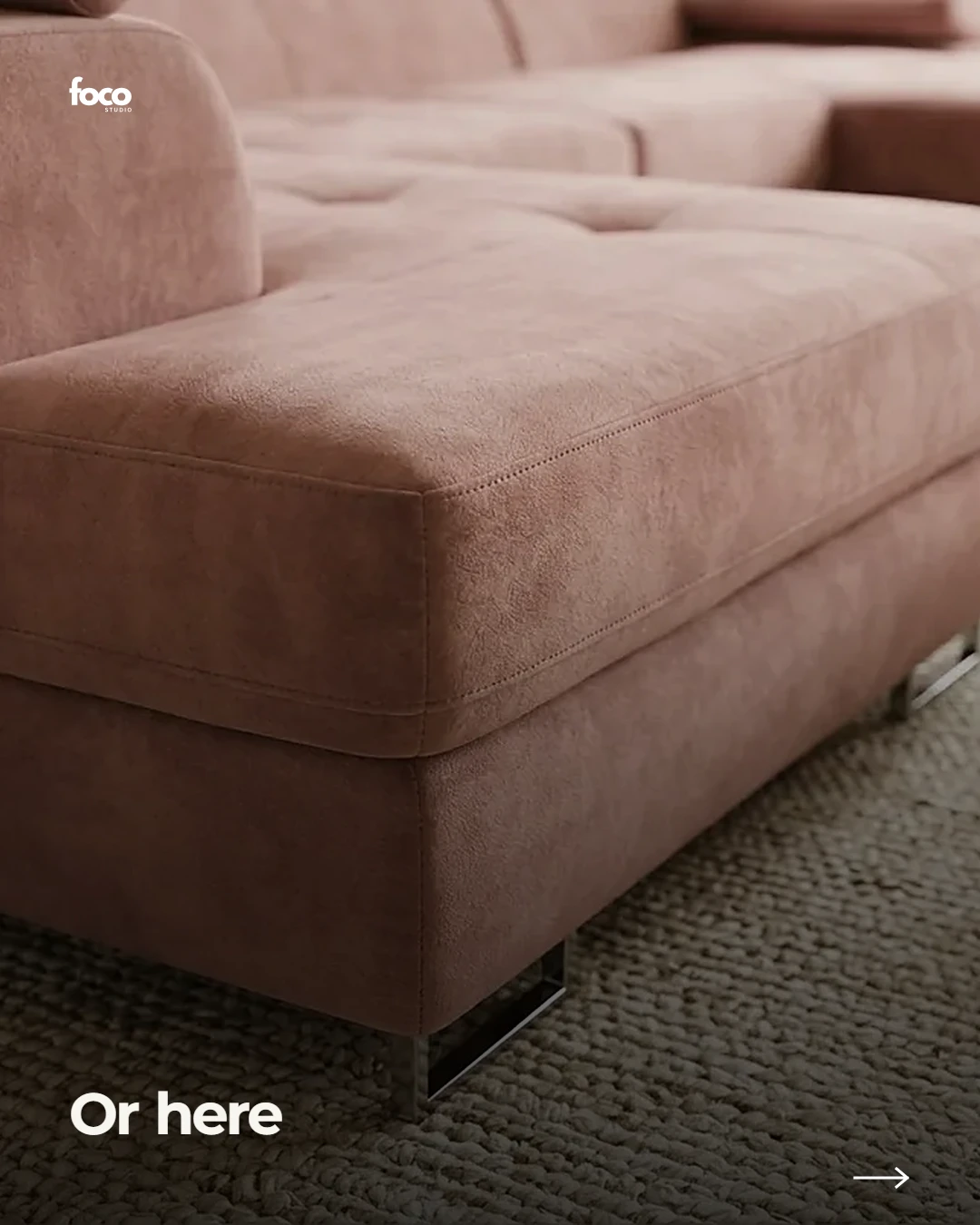
The side view of the pink sofa shows the seat edge, stitching and a leg. These occupy little space in a photo of the whole piece. Showing them together keeps their positions relative to each other clear.
A caption should identify the visible feature. "Stitching along the seat edge" says more than "a refined detail". An image by itself does not establish durability or manufacturing quality. Those claims need separate support in the product information.
How should you show fabric up close?
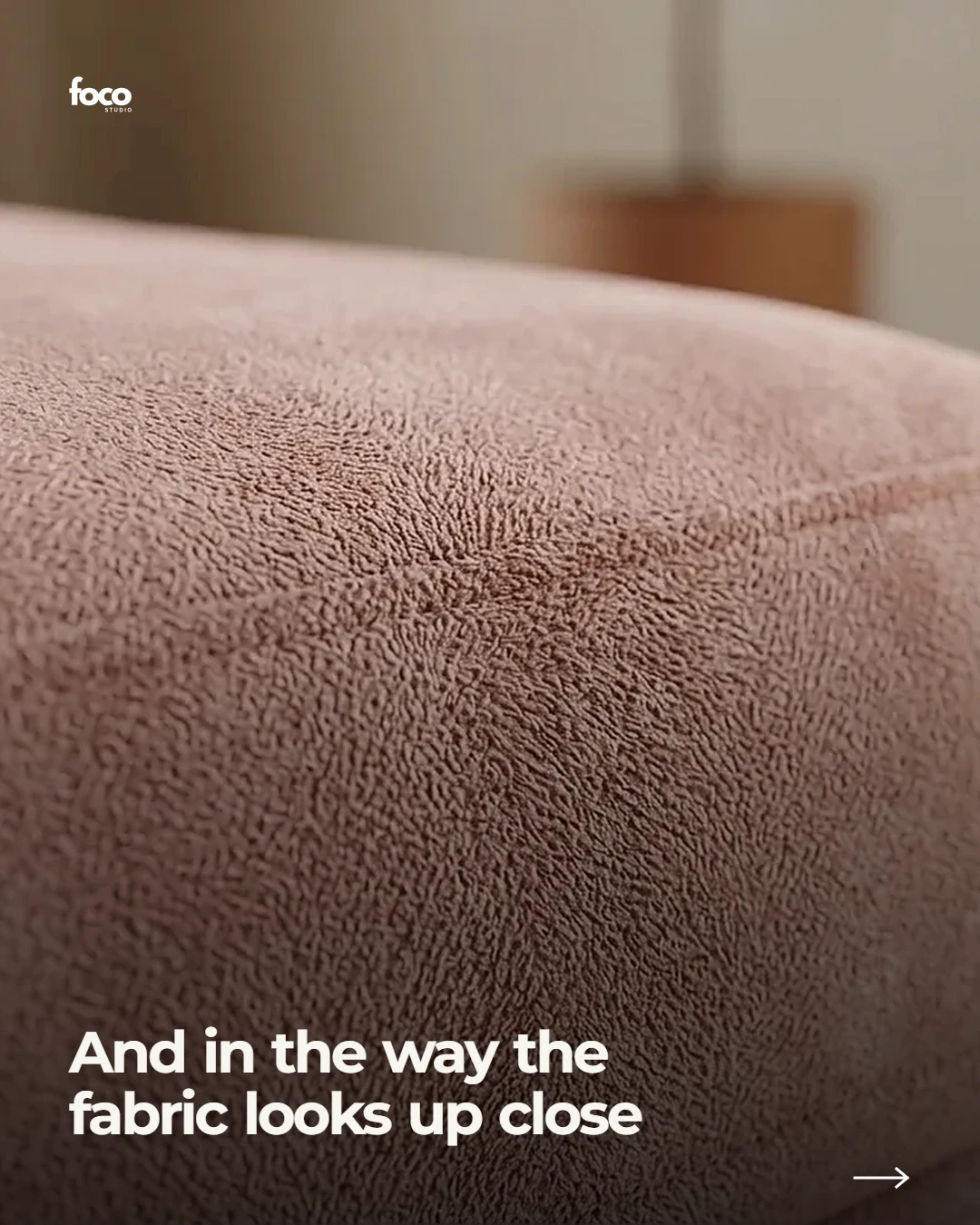
The image needs to make the material texture recognisable. Lighting affects the visibility of the weave and pile direction, so check that the close-up agrees with the other images of the selected variant.
In the pink upholstery close-up, attention is on the material surface. When approving such an image, compare it with the reference for the chosen fabric. A physical swatch also lets customers assess feel and the precise shade.
Which references are needed for close-ups?
To reproduce small features, we need references that actually show them. A general photo of the whole sofa may not reveal the weave, seam or joint. Additional photos of those areas and a labelled upholstery sample help.
We agree on the close-up plan before starting. For photography, this means choosing the part of the product and the lighting. In 3D, the geometry and material need suitable detail; a model made for a wide view may need further work. We discuss the choice of method in our article on furniture visualisations from photos.
An example shot list for a corner sofa
For a model with the features shown here, you could plan:
- a closer view of the whole seat to show the tufting layout;
- the side edge with a readable seam;
- a leg with part of the sofa around it, to show its position;
- the texture of the selected fabric;
- a wider view connecting the details with the whole piece.
Adapt the list to the product. A model without tufting may have another distinctive finish to show. If you need a view of the sofa-bed function or storage compartment, add it separately to the scope.
Where do details belong in the gallery?
Show the whole piece first so customers know which product they are viewing. You can then add a room setting and selected close-ups. Check that all images show the same configuration, fabric and colour.
Each model may need a different number of details. Choose views that show its features rather than filling the gallery with similar pieces of upholstery.
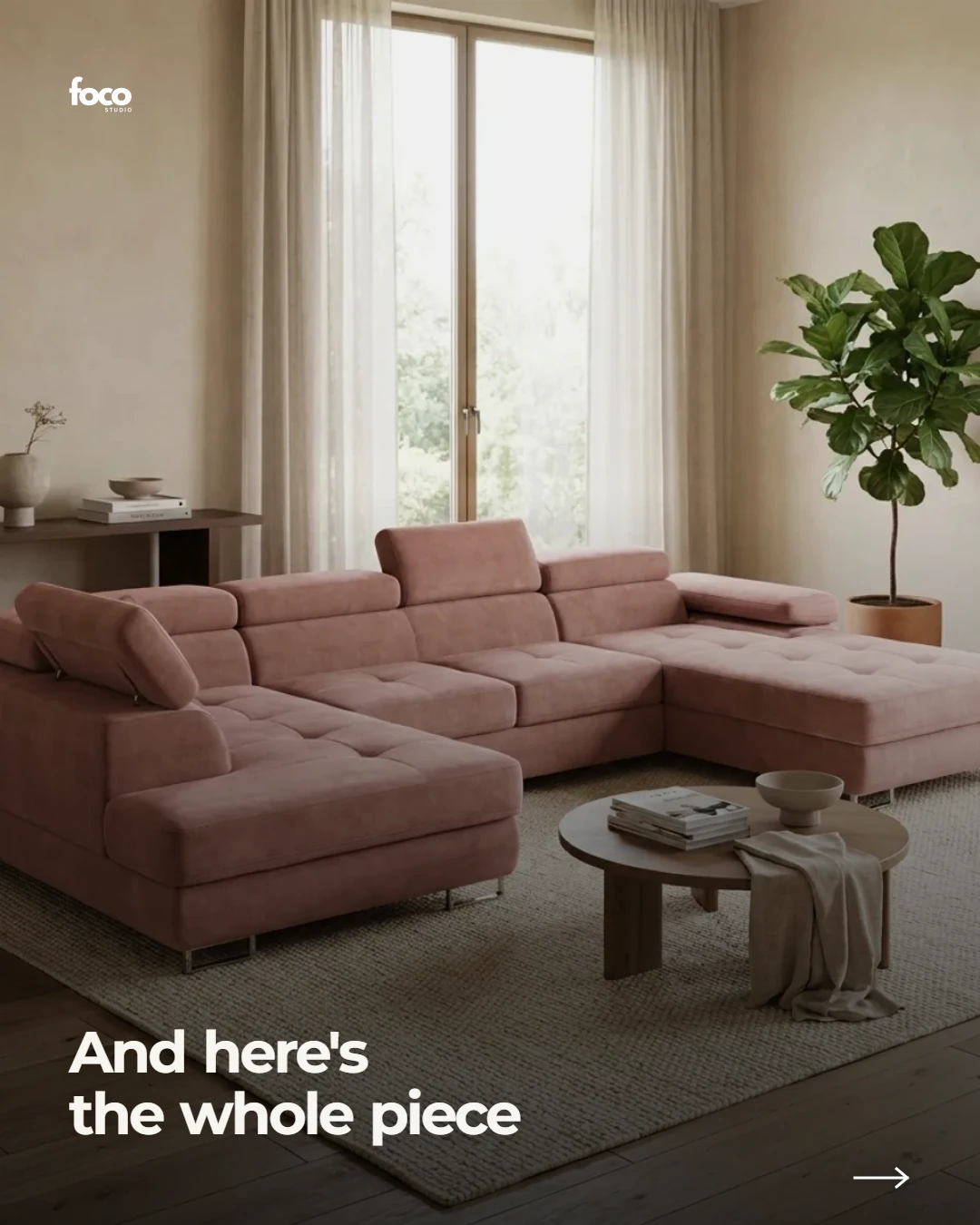

Review one model's gallery from the whole product view through to the close-ups. Note which feature still cannot be examined. Perhaps the leg colour is visible but its attachment is not, or you can see the tufting pattern without a clear view of the seam.
Mark the missing area on a photo or provide a separate reference image. For an AI-assisted image, compare the detail with the actual product and material sample too. A generated texture does not confirm the weave of a specific fabric.
Send furniture photos and a list of missing views through the form. We will establish which references are needed.